The clipboard experience you always wanted.
CopyCat Clipboard simplifies your copy-paste workflow across all devices. Sync seamlessly over your local network, keep sensitive data private using your own Google Drive, and lock clips with end-to-end encryption.
Auto-detected: Windows (x64 Installer)
Cross-Platform Live Sync
Instant clipboard transfer across all workstation devices
5 Devices Active
macOS
iOS
Windows
Android
Linux
Copied on macOS:
https://copycat.app
Synced
Sync instantly. Keep absolute control.
Watch how clips instantly travel across your local network. No external servers needed, 100% private, and military-grade encryption ready.
Default
Uncompromising capabilities for power users.
CopyCat is not just a list of copied items. It’s an advanced text processor, security safe, and cross-platform synchronization engine designed from the ground up for developer and designer workflows.
Real-Time & Balanced Cloud Sync
Choose between sub-50ms instant real-time synchronization or bandwidth-optimized balanced mode for low-data network connections.
LAN Peer Companion Sync
Bypass external servers entirely. Local network peer mode acts as a direct sync companion for instant offline transfers on local Wi-Fi.
Smart Paste & Direct Injection
Smart paste automatically formats and writes copied items directly to target active applications with zero manual switching.
Cloud Storage & Restoration
Leverage private cloud storage with automated media sync, cloud restoration vaults, and seamless point-in-time clip recovery.
Unlimited History & Collections
Retain infinite clipboard history without item limits. Organize, categorize, and pin your clips into custom searchable Collections.
E2E AES-256-GCM Encryption
Military-grade end-to-end encryption using AES-256-GCM. Passwords, keys, and credentials remain private with keys stored locally on your device.
Drag & Drop Assets
Drag images, formatted text cards, screenshots, and raw files directly out of your clipboard feed into messaging apps or code editors.
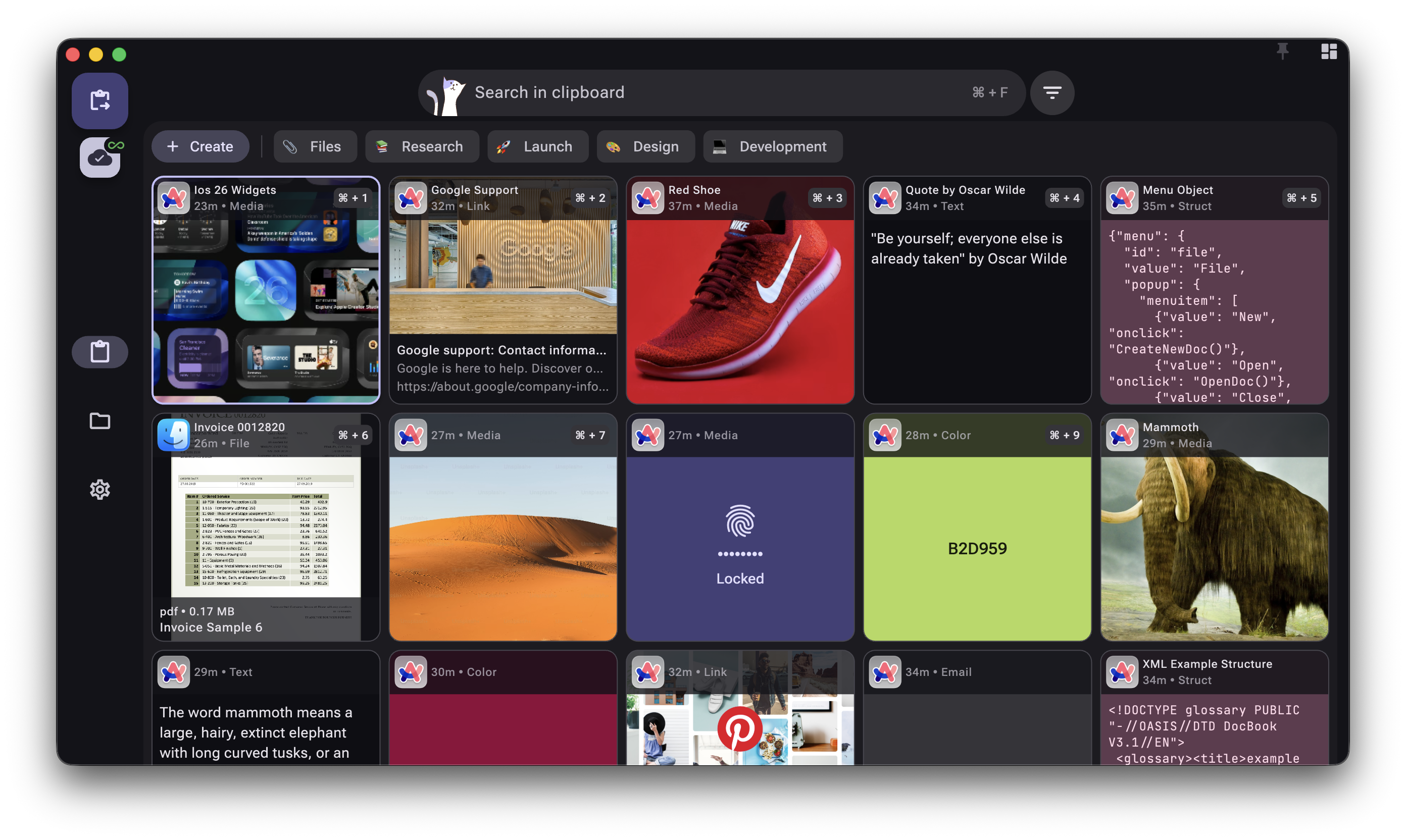
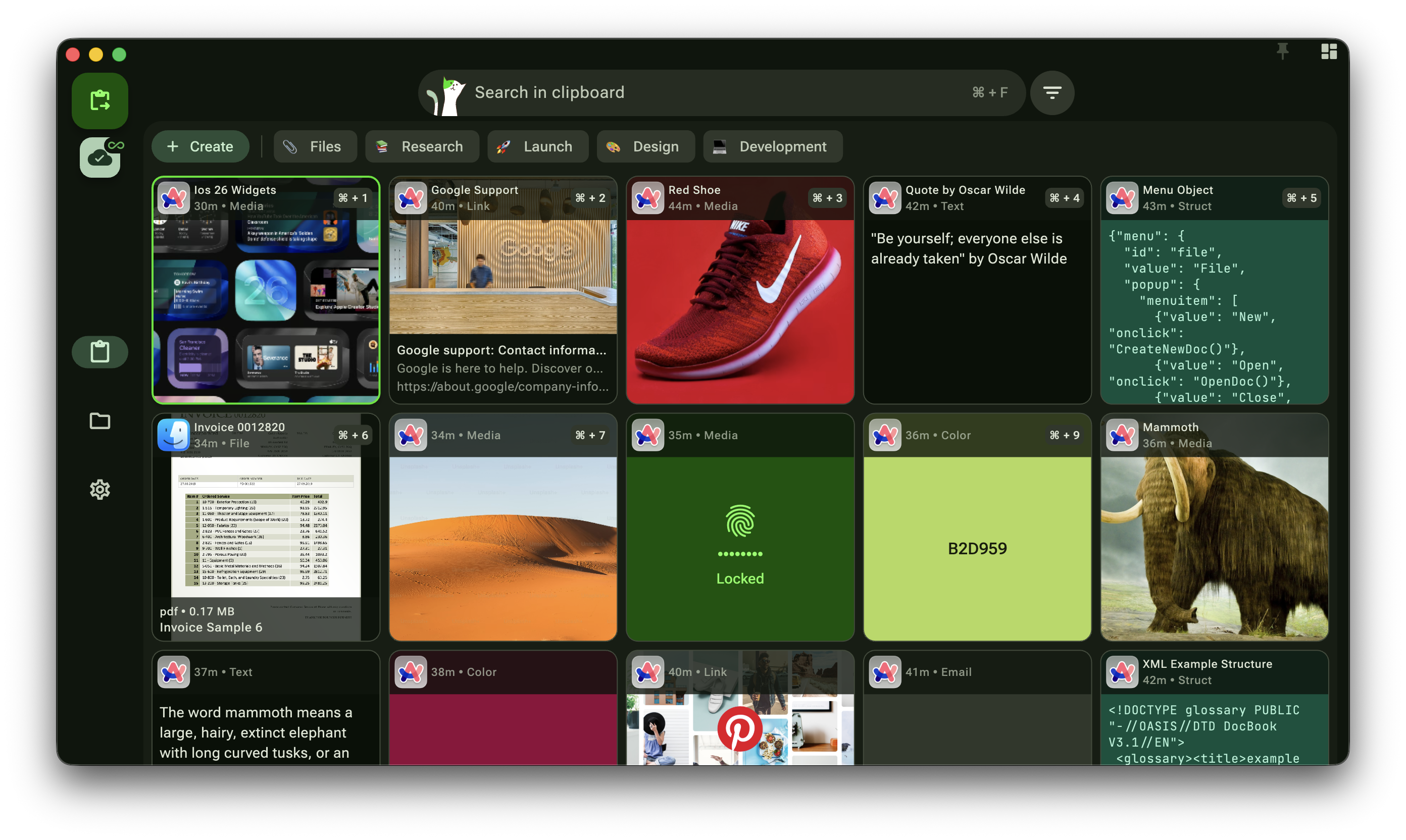
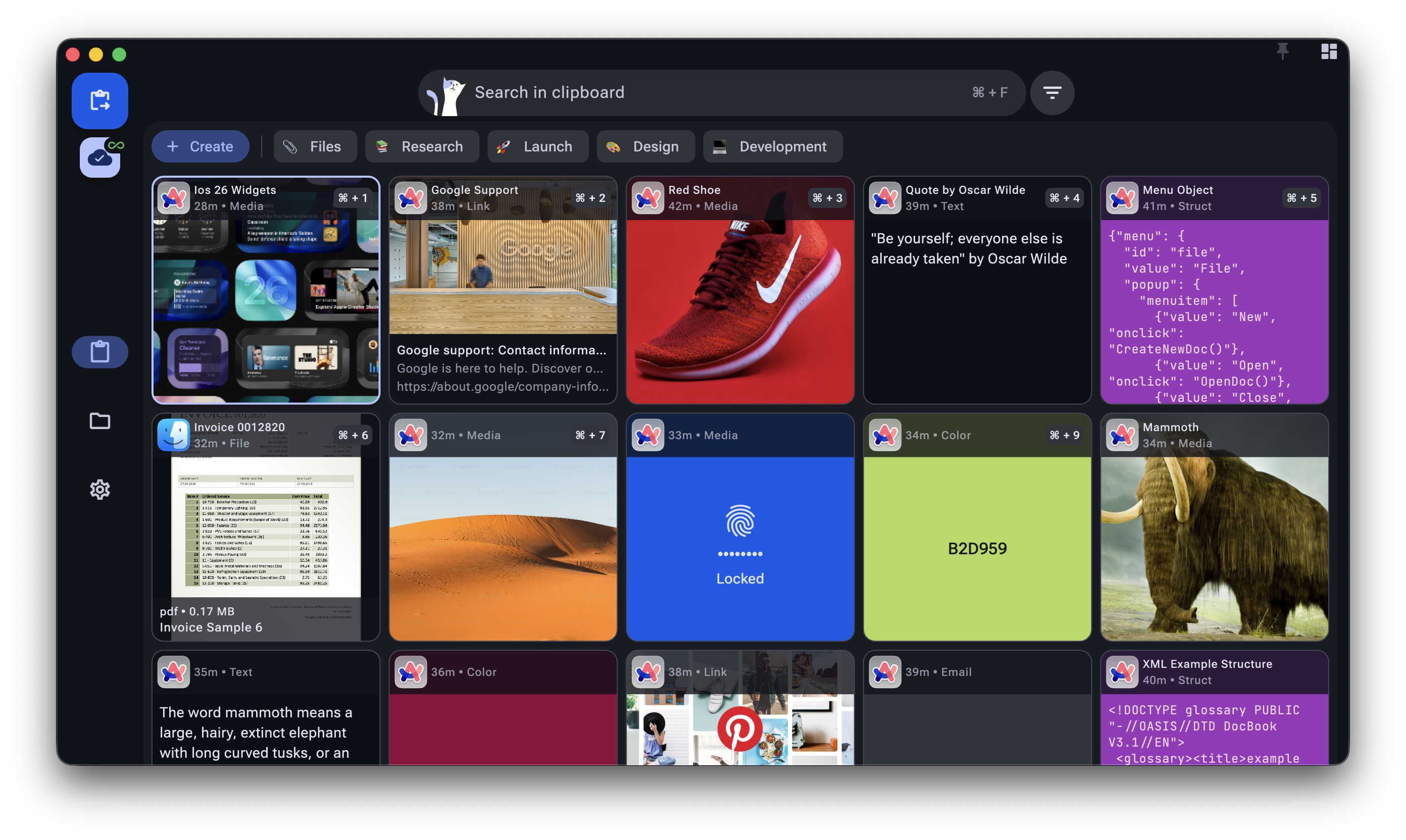
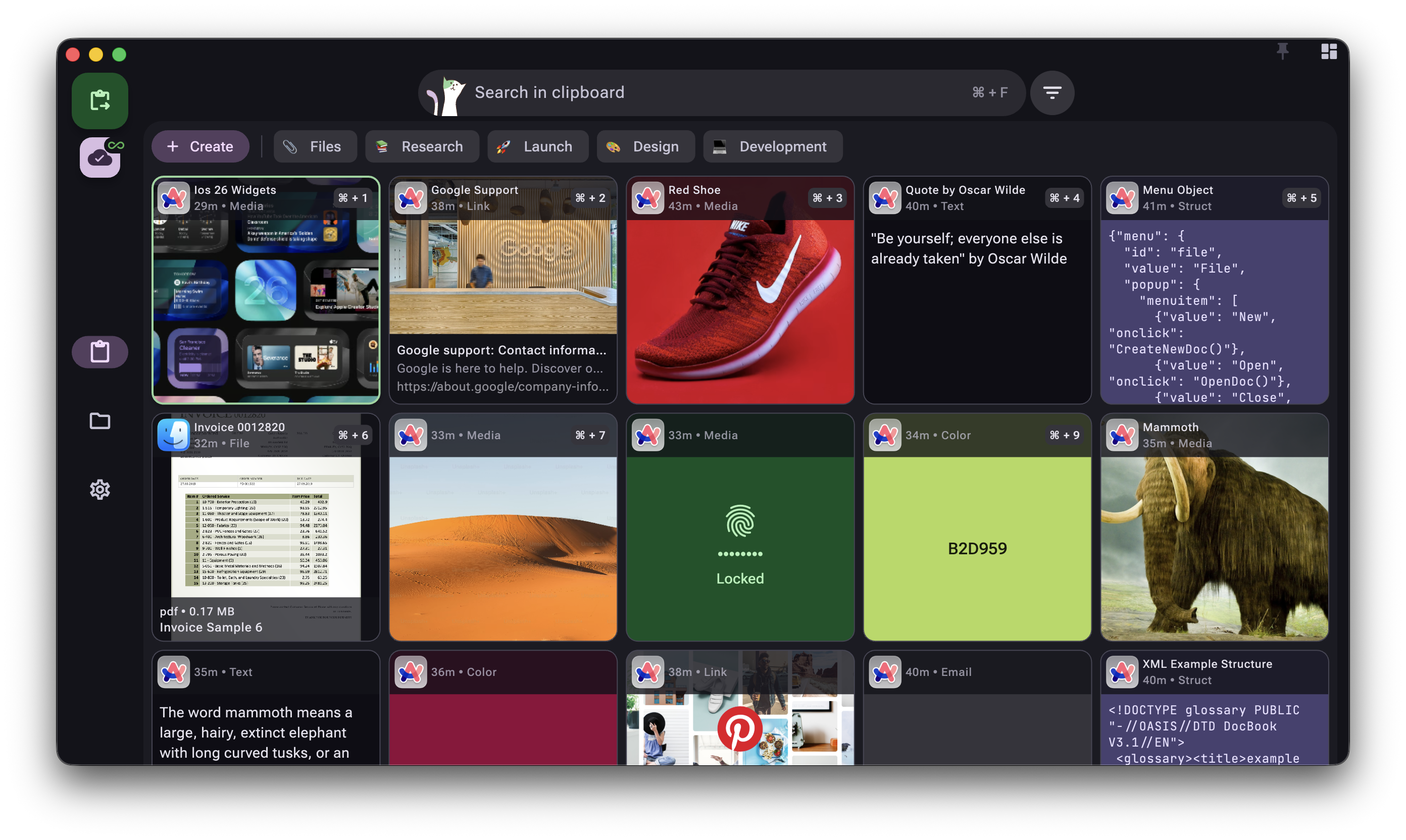
Personalized UI & Theming
Personalize the clipboard interface to fit your style with dark and light modes, custom accent colors, and millions of color theme combinations.
Floating Toast & Haptic Feedback
Get instant, non-intrusive visual confirmation toasts on your desktop screen whenever an item is copied, paired with tactile haptic feedback on mobile.
Full Clipboard Backup & Restore
Export and restore your entire clipboard history and settings seamlessly. Supports end-to-end encrypted backups when E2EE is enabled, making account migrations and machine transfers effortless.
6 Global Languages
Native localization for 6 international languages: English (en), Portuguese (pt), French (fr), Spanish (es), Chinese (zh), and German (de).
Multi-Copy, Paste & Share
Select and copy multiple items at once, paste bulk selections directly into target applications, merge clips, or share segments across devices.
Sequential Paste Stack
Queue up several copy actions sequentially for batch pasting. Seamlessly process bulk segments without manual window toggling.
Text Transformations
Convert case styles, clean formatting, strip whitespaces, or parse JSON in your clipboard on-the-fly with customizable quick-actions.
Type-to-Search
Locate any past clip instantly. Search text, links, or image details in milliseconds with an ultra-fast full-text indexing engine.
Smart Exclusion Filters
Exclude contents copied from password managers, emails, phone numbers, or sensitive sites with custom app and domain rules.
Download CopyCat for all your screens.
Start managing your clipboard across all your screens. Cross-platform packages are available below.